CHECK-IN
Online Check-in
Virtual Reception
Complete your online check-in in less than 2 minutes and enjoy a seamless, contactless arrival experience.
Simply scan the QR code below or visit our Guest Portal here under https://strvienna.duve.co/
Important
Please always log in using your reservation number and not E-mail address regardless of whether you booked directly with Steiner Residences or through platforms such as Booking.com, Airbnb, Expedia, Agoda or any other booking channel.
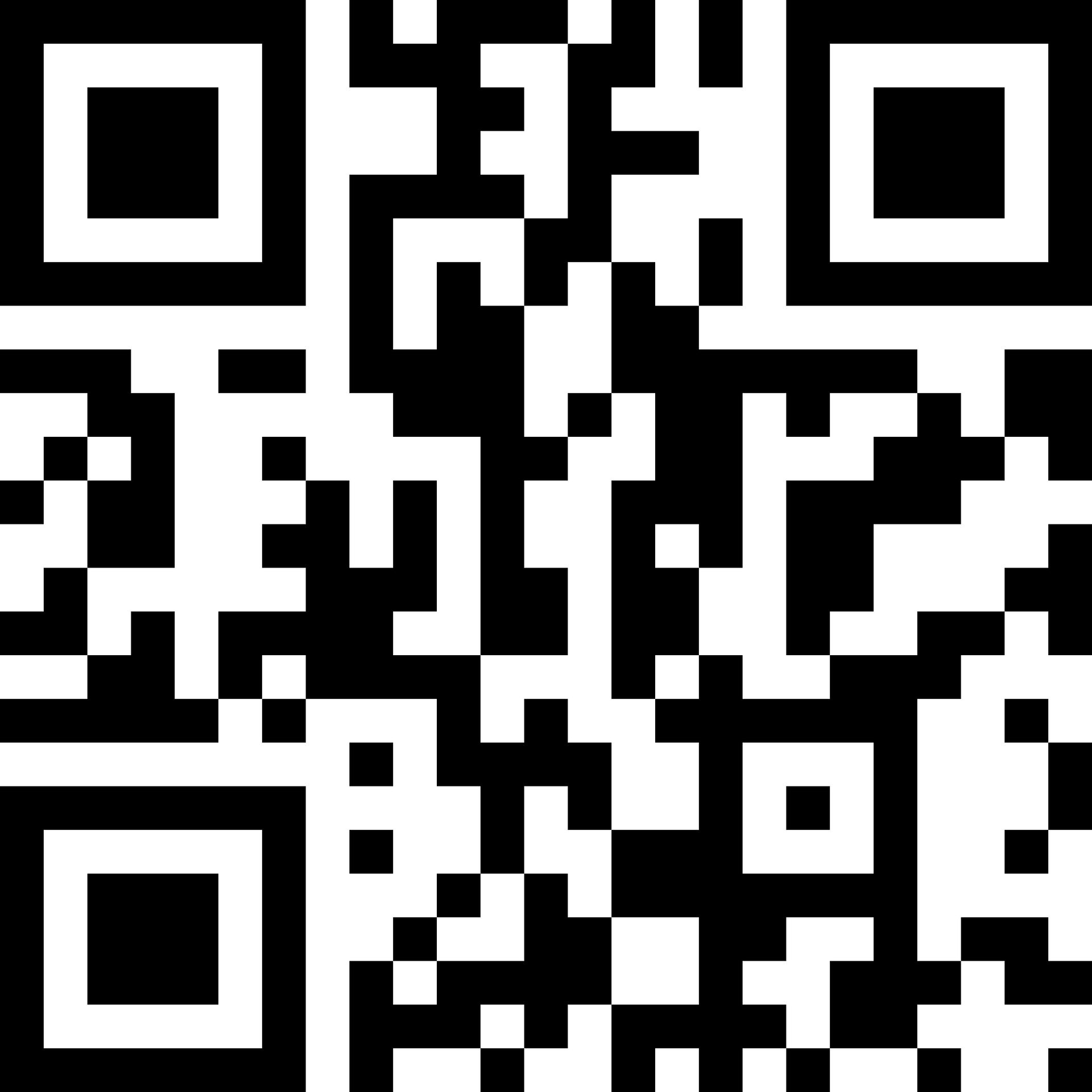
What can you do in the Guest Portal?
- Complete your online check-in
- Verify your identity securely
- Update your guest details
- Receive your Digital Room Key (compatible devices)
- Access arrival information and stay details
The entire process usually takes less than two minutes.
Need assistance?
If you experience any issues during the online check-in process, please contact us by email.
To help us assist you as quickly as possible, please include:
- your full name
- your reservation number
- a brief description of the issue
reservation@strvienna.at
or simply use the contact form provided below.
Frequently Asked Questions
Digital Room Key
What is a Digital Room Key?
A Digital Room Key allows you to unlock your apartment using your compatible smartphone or smartwatch instead of a traditional key card.
How do I receive my Digital Room Key?
Complete your online check-in and identity verification. If your device is compatible, you will be invited to add your room key to your digital wallet.
When does my Digital Room Key become active?
Your Digital Room Key becomes active according to your reservation status and official check-in time.
Can I still use a physical key card?
Yes. A physical key card can still be issued if required or preferred.
Can I use both a Digital Room Key and a physical key card?
Yes. Both methods of access can be used simultaneously.
I cannot add my Digital Room Key. What should I do?
Please ensure that:
* Bluetooth is enabled.
* Location Services are enabled.
* You have an active internet connection.
* Your online check-in has been completed.
* Your device is compatible.
If you still experience difficulties, please contact our team.
What happens if I lose my phone?
Please use your device’s remote security features (Apple Find My or Google Find My Device) and contact Steiner Residences immediately.
Can I use my smartwatch?
Yes, provided your smartwatch supports Digital Room Keys and is paired with a compatible smartphone.
Google Wallet

What happens if I lose my Android phone?
Use Google’s Find My Device service to locate, lock or erase your device remotely.
Which Android devices are supported?
Devices running Android 9 or later with NFC enabled and the latest version of Google Wallet installed.
Apple Users
What is Room Key in Apple Wallet?
Room Key in Apple Wallet allows you to securely store your digital room key in Apple Wallet and use your iPhone or Apple Watch to unlock supported doors during your stay.
How do I add my Room Key to Apple Wallet?
Complete your online check-in and identity verification. If your device is compatible, you will receive the option to add your room key to Apple Wallet.
Which devices are supported?
Room Key in Apple Wallet requires a compatible iPhone or Apple Watch running a supported version of iOS or watchOS.
Can I use Express Mode?
Yes. When enabled, Express Mode allows you to unlock supported doors without unlocking your iPhone or Apple Watch.
What happens if my battery is low?
On compatible iPhones, Power Reserve may allow your Room Key to continue working for several hours after the battery has become critically low.
Can I use a physical key card as well?
Yes. Physical key cards remain available if required.
What happens if I lose my iPhone?
You should immediately use Find My to mark your device as lost or erase it remotely.
How do I remove my Room Key?
Your Room Key will automatically expire at the end of your stay or can be removed manually from Apple Wallet at any time.
Contact Us Today
Contact Us
- Steiner Residences Vienna Augarten Wien, Nordwestbahnstraße 5, Österreich
- Steiner Residences Vienna Taborstrasse Wien, Castellezgasse 24, Österreich
- Steiner Residences Vienna Vorgartenstrasse Wien, Engerthstraße 202, 1020, Wien, Wien, Österreich
- Steiner Residences Vienna Nestroyplatz Wien, Kleine Mohrengasse 7, Österreich
- Steiner Residences Vienna Reumannplatz Wien, Leibnizgasse 37, Österreich
- Steiner Residences Vienna Rembrandt Schreygasse 8, 1020 Wien, Österreich
Follow us on Instagram